AI Video Effects Generator
Shake It Dance Result
Your generated video will appear below
2-3 minutes
Shake It Dance
Transform your photos into fun, energetic dance videos with AI-powered hip-swaying dance animations
Example Videos By Shake It Dance
Example 1
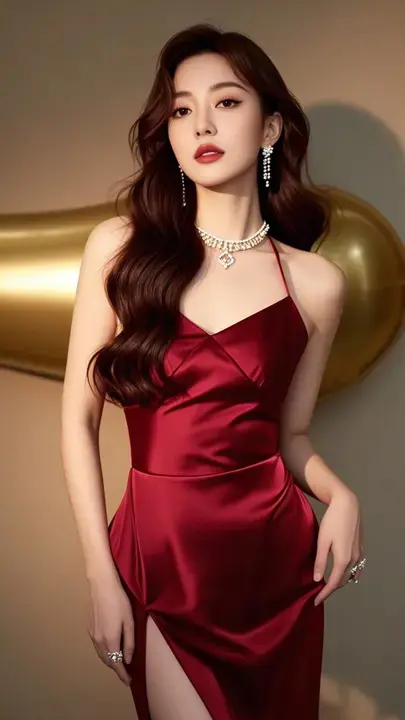
Original Image
Generated Video
Shake It Dance FAQ
Have a different question and can't find the answer you're looking for? Support Email: support@grokvideo.ai
What is the Shake It Dance AI Video Generator?
Shake It Dance is a fun AI-powered effect that transforms your photos into energetic dance videos. The AI animates subjects with rhythmic hip-swaying movements while their hands rest behind the head—creating playful, expressive dance content perfect for social media and entertainment.
How many people can be in my photo?
Shake It Dance supports single person, two-person, or group photos. Whether it's a solo dance video or a fun group moment, our AI synchronizes all subjects to perform the same energetic dance moves together.
What type of photo produces the best results?
For optimal results, upload photos where subjects are standing with a full frontal body view. The best animations occur when subjects aren't holding any props and their hips and legs are clearly visible. Good lighting and a clean background also help.
How many images can I upload?
The Shake It Dance effect processes one image at a time. Simply upload your favorite photo with one or more people, and our AI will transform everyone into synchronized dancers.
Can I customize the video prompt?
While we recommend keeping the prompt structure unchanged for best results, you can make minor adjustments to personalize the animation. The core format ensures the AI generates the signature dance moves correctly.
What should I know about potential limitations?
When subjects are holding props, both hands may raise while the prop appears to float. If subjects aren't standing or have their hips/legs obscured, leg movements may appear distorted. Occasionally, the hip-swaying rhythm may vary or appear incomplete.
Will my video maintain the original aspect ratio?
Yes! Your generated video preserves the exact same aspect ratio as your uploaded photo. Whether portrait, landscape, or square, your dance video will match your original image dimensions perfectly.
Why do standing poses work best?
Standing poses with visible full bodies give the AI the clearest reference for generating natural hip and leg movements. When the lower body is obscured or the subject is seated, the dance animation may not render as smoothly or realistically.